
Home Construction Cost Calculator: A How-To Guide
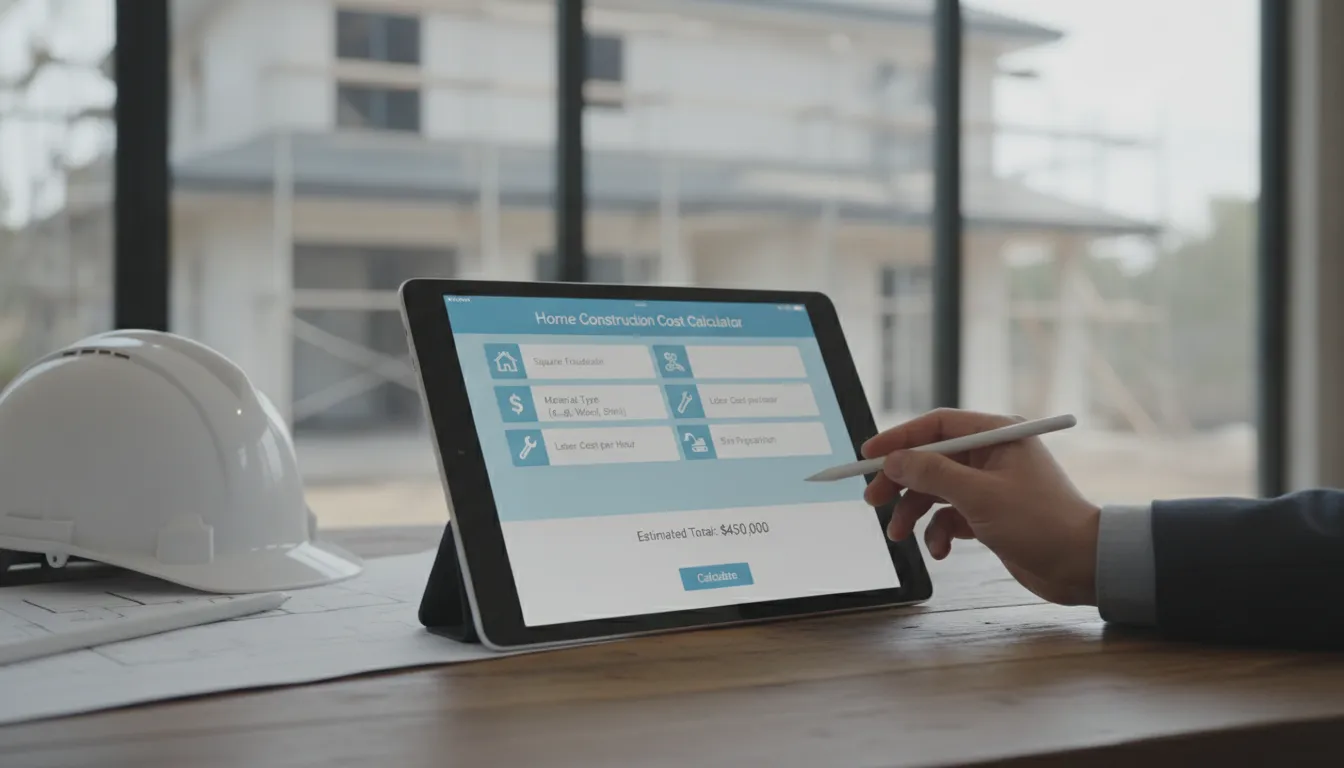
Let’s be honest, the most intimidating part of any home build is the budget. The fear of unknown expenses and spiraling costs can be enough to stop a great idea in its tracks. But creating a financial plan doesn’t have to be a guessing game. A home construction cost calculator is a powerful tool that can bring clarity to the numbers, giving you a realistic starting point before you even speak to a professional. By inputting details about your project, you can get an initial estimate that helps you understand the potential investment required. This process empowers you to make informed decisions, ensuring your dream home and your budget can coexist peacefully. In this article, we’ll explore how to get the most from these tools and build a budget that accounts for every detail.
Key Takeaways
- Get a realistic starting point: Use a detailed cost calculator to get a ballpark figure for your project. The best tools ask for specific inputs like your zip code and finish quality, giving you a solid baseline for your budget, not just a generic average.
- Plan for the full project cost: A true budget goes beyond materials and labor. Be sure to factor in soft costs like design fees and permits, plus a contingency fund of 10% to 20% to cover any surprises that pop up during construction.
- Use your estimate as a guide: Your calculator's estimate is a powerful tool for talking with builders. Use it to compare professional bids, ask informed questions, and ensure you and your contractor are aligned on the project's scope and cost from the start.
What Is a Home Construction Cost Calculator?
Think of a home construction cost calculator as your first step in budgeting for a big project. It’s an online tool designed to give you a ballpark estimate of what your build or renovation might cost before you start talking to professionals. By plugging in a few key details about your project, you can get a rough financial picture that helps you see if your vision aligns with your budget. It’s a fantastic starting point for anyone trying to wrap their head around the potential investment required for their dream home.
How they work
Most online calculators operate on a simple principle: they multiply your project's total square footage by an average cost per square foot for a specific location. To get started, you’ll typically select your state and city, then enter the size of your planned home or addition. Some tools might also ask you to specify the quality of finishes you’re considering, like “standard,” “mid-range,” or “luxury.” The calculator then uses this information to generate an estimated total cost. For example, with national average costs often ranging from $150 to over $250 per square foot, you can quickly see how size and location influence the bottom line.
What they can (and can't) estimate
A good calculator provides an estimate that bundles together several core expenses. This usually includes costs for common building materials like lumber and concrete, general labor for the construction crew, and basic permit fees. However, it’s critical to remember what these tools can’t do. The number you get is just an estimate, not a firm quote. The final price tag can shift significantly based on the specific materials you choose, the complexity of your design, and unforeseen challenges that arise on-site. Use the initial estimate as a guide for planning, not as a final, guaranteed price for your project.
Why square-foot averages fall short
Relying solely on a simple cost-per-square-foot average can be misleading, especially for custom homes and detailed renovations. These broad averages often leave out major expenses that are essential to your project. For instance, many calculators don't factor in the cost of the land itself, extensive site work like excavation, building a basement or garage, or the price of high-end appliances and fixtures. Your unique design choices and material selections have a huge impact on the final cost, something a generic calculator can't fully capture. It’s a helpful starting point, but it doesn’t replace a detailed quote based on your actual plans.
What to Look for in a Cost Calculator
A quick search will show you there are dozens of home construction cost calculators out there, but they aren't all built the same. A vague, one-size-fits-all estimate won't do you much good when you're planning a project as personal as your home. The number you get from a basic calculator can be misleading, often based on broad, outdated averages that don't account for your specific needs or location. This can set you up for disappointment and financial stress later on. To get a number you can actually work with, you need a tool that’s detailed, specific, and flexible.
Think of it as the difference between a generic map and a GPS with real-time traffic updates; one gives you a general idea, while the other provides a clear, actionable path. A high-quality calculator digs deeper than just square footage. It asks the right questions about your project to give you a realistic starting point for your budget. It should feel less like a quiz and more like the beginning of a conversation about your future home. Finding the right tool is the first step in creating a solid financial plan. Here are the key features that separate a helpful calculator from a generic one, ensuring you begin your home building journey with clarity and confidence.
Detailed cost breakdowns
A single, top-line number is a start, but it doesn’t tell you the whole story. The best calculators give you a line-by-line look at where your money is going. Look for a tool that offers detailed cost breakdowns for materials, labor, and other specific items required for your build. This level of detail is incredibly empowering. It helps you understand the financial scope of each part of your project, allowing you to make informed decisions about where to invest and where you might be able to save. When you can see the individual costs, you have more control over the final budget and can have more productive conversations with your builder about your priorities.
Customizable project inputs
Your vision for your home is unique, and your cost estimate should reflect that. A quality calculator will let you customize project inputs beyond just square footage. You should be able to specify details like the quality of finishes, the type of foundation, and the construction methods you plan to use. For example, some tools let you get a breakdown of costs for different stages of the build, like the framing or the roof. This customization ensures the estimate is truly tailored to your project, giving you a much more accurate picture of the potential costs instead of a generic guess based on averages. This way, the estimate reflects your actual choices.
Location-specific data
It’s no secret that construction costs can vary dramatically from one city to the next. A project in a dense urban area will have a different price tag than the exact same project in a rural town. That’s why location-specific data is non-negotiable for an accurate estimate. A reliable calculator will use your ZIP code to pull pricing that reflects the local market conditions for both materials and labor. This simple feature makes a huge difference in accuracy, protecting you from the surprise of discovering that regional price variations have thrown your initial budget completely off track. It ensures your financial planning is grounded in the reality of your specific area.
Options to save or share reports
Getting an estimate is just one of the first steps. The next is sharing that information with your project partners. The most useful calculators allow you to save, print, or share your estimate. Some tools even create professional summary reports in a PDF format that you can easily send to your design-build firm, contractor, or bank. This feature makes communication seamless and ensures everyone is on the same page from the very beginning. It transforms the calculator from a simple personal tool into a valuable asset for planning and collaboration, helping you move your project forward with confidence and clarity.
Our Top Picks for Cost Calculators
Once you have a vision for your project, the next big question is always about the budget. Online cost calculators can be a fantastic starting point for wrapping your head around the potential numbers. These tools range from simple square-foot estimators to incredibly detailed questionnaires that break down costs for materials, labor, and more. Think of them as a way to get a ballpark figure and explore how different choices, like high-end finishes or a larger footprint, might impact your overall spending.
While these calculators are useful for initial planning, it's important to remember that they are just estimates. They often rely on national or regional averages that might not capture the specific labor rates, material costs, or building codes in your neighborhood. The best ones will ask for your zip code and allow for detailed inputs, giving you a more tailored result. We’ve gathered a few popular options to help you begin your research, but for a truly accurate budget, nothing beats a personalized estimate from a professional who understands your local market and the unique details of your project.
Tekee Design Build
While many online tools give you a generic estimate, we take a different approach. The most accurate cost calculator is a conversation with an expert. As part of our design-build process, we provide a comprehensive and transparent cost analysis tailored specifically to your project. We don't rely on national averages; instead, we use our deep knowledge of local material costs, trusted trade partnerships, and permit requirements to build a realistic budget from the ground up. This personalized process ensures there are fewer surprises down the road and that your final plan aligns perfectly with your financial comfort zone. This is more than an estimate, it's the beginning of a clear and confident building journey.
Cost to Build
If you enjoy getting into the details, the estimator from Cost to Build is a great resource. This tool is designed to give you a very specific breakdown of where your money goes. It separates costs for materials, labor, and all the individual items required for a new home build. This level of detail can be incredibly helpful for understanding the different cost categories and seeing how they contribute to the total budget. It’s a solid choice for homeowners who want to move beyond a simple square-foot average and start looking at a more itemized projection for their project.
Dream Home Calculator by Forner Lavoy
The Dream Home Calculator is a free and impressively thorough tool created by Forner-Lavoy Builders. It stands out because it asks over 100 questions to help refine your estimate. Walking through the questionnaire can be an educational experience in itself, prompting you to think about details you might not have considered, from foundation type to fixture quality. Because it’s so comprehensive, the final number it provides tends to be more reflective of a real-world project than simpler calculators. It’s an excellent way to get a detailed preliminary budget while also clarifying the scope of your vision.
Home-Cost.com
Planning a budget is one thing; sticking to it is another. Home-Cost.com offers online software that provides detailed and accurate estimates specifically to help you manage your budget and avoid unexpected expenses. This tool is particularly useful for homeowners who are acting as their own general contractor or who simply want a deeper understanding of project financials. By giving you a clear picture of anticipated costs from the start, it empowers you to make informed decisions throughout the construction process and helps keep your project on firm financial footing.
UltraTech Home Construction Cost Calculator
For those planning projects outside of the United States, it's important to use a tool that reflects local pricing. The Home Construction Cost Calculator from UltraTech, a leading cement company in India, is a great example. This free online tool is designed to help users estimate building costs based on regional data within India. While the interface is straightforward, remember that the material and labor costs it uses are specific to that market. It serves as a good reminder that geography plays a huge role in construction pricing, so always look for a calculator that is relevant to your specific location.
How Construction Costs Vary by Location
If you’ve ever browsed real estate listings in different cities, you already know that location is everything. The same principle applies when you’re building a home from the ground up. The cost to build in a bustling coastal city will look very different from the cost in a quiet Midwestern town. Understanding these regional differences is the first step toward creating a budget that stands up to reality.
Your zip code influences everything from the price of lumber to the hourly rate for skilled labor. Before you get too attached to a specific number, it’s helpful to see what’s driving costs in your area and how you can use that information to plan a smarter project.
What drives regional price differences
So, what’s behind these big price swings from one place to another? It really comes down to a few key factors. Local labor rates are a major one; a carpenter or electrician will simply charge more in an area with a higher cost of living. The cost and availability of materials also play a huge role. Some regions have easier access to certain resources, which can lower prices.
How much it costs to build a house changes a lot depending on where you live. For example, building a 2,500-square-foot home in a state like Mississippi might average around $150 per square foot. That same home in California or New York could easily cost over $300 per square foot. These differences are also shaped by local regulations, permit fees, and taxes, which can add a surprising amount to your bottom line.
Applying regional data to your budget
Knowing that costs vary is one thing, but planning for it is another. This is where a good home construction cost calculator becomes so valuable. When you use one, be sure to enter your specific zip code to get the most accurate local estimate possible. A generic national average won't give you the detailed insight you need to build a reliable budget.
The calculator gives you a solid starting point with *estimated* costs, but it’s wise to build in a cushion. We always recommend adding a contingency fund of 10% to 20% to your total budget. This isn’t for splurging on fancy finishes; it’s a safety net for unexpected costs that often pop up during construction. Think of it as smart financial planning that gives you peace of mind and protects your project from delays.
What Hidden Costs Should You Budget For?
A home construction cost calculator gives you a fantastic baseline for your project’s budget. It helps you understand the major expenses, often called "hard costs," like materials and labor. But to create a truly realistic financial plan, you need to look beyond that initial estimate and account for the "soft costs" and other expenses that often hide in the fine print. Think of it as the difference between the sticker price of a car and the total cost after taxes, fees, and insurance.
Many people get caught by surprise when these additional expenses pop up, but you don’t have to be one of them. Planning for these costs from the very beginning is the secret to keeping your project on track and your stress levels low. These aren't necessarily "hidden" costs in a deceptive sense; they're just parts of the process that aren't directly tied to swinging a hammer or pouring a foundation. By budgeting for everything from design fees to your final landscaping, you create a complete financial picture. This proactive approach empowers you to make informed decisions and ensures you have the resources to build the home you envision without compromise.
Permits, inspections, and site prep
Before any ground is broken, you’ll need to handle a few critical administrative and preparatory steps. These are often grouped under "soft costs" and are non-negotiable. Your project will require official building permits from your local municipality, which come with fees. Throughout the construction process, inspectors will need to visit the site to approve things like the foundation, framing, electrical, and plumbing work, and each of these inspections can have an associated cost. Don't forget site prep, which can include everything from soil testing and land surveys to clearing the lot and connecting to local utilities like water, sewer, and electricity. These items are essential for a legal and safe build.
Design, architecture, and land
The vision for your home starts long before the first nail is hammered. This creative phase comes with its own set of professional fees. You'll likely work with an architect or designer to create the blueprints for your project, and their services are a key investment in your home's final look and function. Structural engineers may also be needed to ensure the plans are sound and safe. Many people forget to factor these indirect costs into their initial budget, but they can significantly influence the total project price. If you're building a custom home from scratch, the cost of the land itself is, of course, the biggest line item in this category.
Landscaping and outdoor features
Most construction cost calculators focus squarely on the house itself, the main structure. It's easy to forget that the estimate probably doesn't include anything beyond the exterior walls. Your final budget should account for all the elements that make a house a home, including outdoor living spaces. This includes the driveway, walkways, patios, decks, and any fencing you plan to install. Then there's the landscaping itself: the cost of sod, trees, plants, and irrigation systems. Thinking about your outdoor living space early on helps you create a cohesive property and ensures you have the funds to finish the project beautifully, both inside and out.
Unexpected material and labor costs
Even the most perfectly planned project can encounter surprises. It’s wise to prepare for potential fluctuations in costs that are outside of your control. For example, supply chain issues can cause the price of materials like lumber or windows to change between the time you budget and the time you buy. On-site, you might run into unexpected challenges, like discovering a large rock that needs to be excavated or dealing with a sudden labor shortage. While a good design-build partner works hard to minimize these issues, it's always smart to have a buffer. Planning for the unexpected is a hallmark of a well-managed project.
Your contingency fund: how much to set aside
This is your financial safety net. A contingency fund is a portion of your budget set aside specifically for unforeseen problems or costs. Think of it as project insurance that gives you peace of mind. So, how much is enough? A good rule of thumb is to set aside an extra 10% to 20% of your total estimated construction cost. For example, if your project is estimated at $500,000, your contingency fund should be between $50,000 and $100,000. This isn't "fun money" for upgrades; it's a dedicated reserve to cover legitimate surprises, ensuring a small hiccup doesn't derail your entire project.
Getting the Most from a Cost Calculator
A cost calculator is an incredible tool for turning a vague dream into a tangible plan. But like any tool, its effectiveness depends on how you use it. The numbers it produces are only as reliable as the information you provide, so think of it as your first, most important conversation about the project budget. To make that conversation as productive as possible, you need to approach it with a clear strategy. It’s the bridge between the images in your head and the financial reality of construction, helping you explore possibilities without making any commitments. What happens to the price if you add a third garage bay? How does switching from quartz to granite countertops affect the bottom line? A good calculator lets you play with these variables to see what’s feasible.
This process isn't just about getting a number; it's about gaining clarity. It forces you to think through your priorities and make initial decisions about what matters most to you. By taking the time to input thoughtful, accurate information, you transform a rough estimate into a powerful planning document. This document becomes the foundation for more detailed discussions with architects and builders, ensuring you walk into those meetings with a solid understanding of your project's potential scope and cost. Following these key steps will help you get a clear, actionable estimate you can truly build upon, setting your project up for success from day one.
Start with a realistic budget
Building a custom home or starting a major renovation is exciting, but it’s also a significant financial commitment. A cost calculator is your first reality check, helping you plan your budget and avoid major financial surprises down the road. Before you even open a calculator, have an honest conversation with yourself and your family about what you can comfortably afford. This isn't just about the total loan you can get; it's about the monthly payment you can live with. Knowing your top-line number from the start helps you make smarter decisions and keeps your project grounded. It gives you a solid starting point and prevents you from designing a home that you ultimately can't afford to build.
Provide accurate project details
The more specific you are, the more accurate your estimate will be. A quality calculator will ask for more than just square footage. It will prompt you for details about building materials like wood and concrete, the number of rooms, the style of finishes, and even your location. These inputs matter because they directly influence costs for materials and labor. Take the time to gather as many details as you can before you start. Do you want hardwood floors or polished concrete? Are you picturing standard windows or custom floor-to-ceiling glass? The more precise your project details are, the closer the estimate will be to the real-world cost of bringing your vision to life.
Factor in soft costs and contingencies
It’s easy to focus on the "hard costs" of construction, like lumber and labor. But many people forget about the indirect soft costs, which can add a significant amount to your total project price. These include things like architectural design fees, engineering costs, building permits, and land surveys. On top of that, every construction project has surprises. It’s wise to add a contingency fund of 10% to 20% to your budget for unexpected costs that might pop up. This buffer gives you peace of mind and ensures that a small issue doesn’t derail your entire project. Factoring these in from the start gives you a much more complete picture of the total investment.
Use the estimate to compare bids
Once you have a detailed estimate from a calculator, you have a powerful baseline for evaluating proposals from builders. When you start talking to contractors to get real price quotes, you’ll be able to see if their numbers are in the right ballpark. An estimate helps you spot a bid that seems way too high or, just as importantly, suspiciously low. A bid that dramatically undercuts the others might mean the contractor is using subpar materials or has misunderstood the scope of your project. Your initial estimate empowers you to ask informed questions and compare bids with confidence, helping you find a partner who is both qualified and transparent.
Remember: it's a starting point, not a final price
A cost calculator is an excellent guide, but it’s important to remember that its output is an estimate, not a final, binding price. The numbers are for your information only and are meant to help you plan. The actual cost can change due to market fluctuations, your final material selections, and any unforeseen challenges that arise on-site. Use the estimate to shape your initial budget and guide your early conversations. From there, work closely with your design-build team to refine the numbers into a detailed project budget. They will have the most current pricing and local expertise to give you a firm price for your specific project.
Frequently Asked Questions
Why can't I just use a calculator's estimate as my final budget? Think of a calculator's estimate as a well-informed guess. It’s based on general averages for materials and labor, which is a great starting point. However, it can't know the specific challenges of your property, the exact materials you'll fall in love with, or the current, real-time costs in your neighborhood. A final budget comes from a detailed proposal created by a professional who has seen your property and discussed your specific vision, giving you a firm price you can actually take to the bank.
What are "soft costs" and why don't most calculators include them? Soft costs are all the essential expenses that aren't directly part of the physical construction. This includes things like architectural design fees, land surveys, engineering reports, and city permit fees. Most online calculators focus only on "hard costs" like lumber and labor because those are easier to estimate based on square footage. Soft costs are highly variable and depend on your specific project and location, so they are almost always budgeted for separately.
Is a 10-20% contingency fund really necessary? Absolutely. I consider it one of the most important parts of a healthy project budget. This fund isn't for adding upgrades later; it's your financial safety net for the unknowns that can pop up during any build. It might cover an unexpected price increase on windows or the cost of dealing with a tricky soil issue no one could have predicted. Having that fund in place provides peace of mind and ensures a small problem doesn't cause a major delay.
How can I get a more accurate estimate if I don't know all my project details yet? This is a common situation, and you can still use the calculators effectively. My advice is to run the numbers a few times. Create one estimate using "standard" or mid-range finishes, and then create another using "luxury" or high-end options. This gives you a realistic price range for your project. Seeing how different choices affect the bottom line will help you clarify your priorities and make more informed decisions as you move forward.
After using a calculator, what's the best next step to get a firm price? Once you have a ballpark estimate that feels comfortable, the next step is to start a conversation with a design-build firm or contractor. You can share your calculator report and your vision for the project. A professional will then work with you to develop detailed plans and provide an itemized proposal based on your specific design, material choices, and local building costs. This is how you move from a helpful estimate to a reliable, fixed price for your project.